> For the complete documentation index, see [llms.txt](https://docs.nodeum.io/llms.txt). Markdown versions of documentation pages are available by appending `.md` to page URLs; this page is available as [Markdown](https://docs.nodeum.io/data-archiving/hybrid-storage-management/tape-library-management/tape-drive-maintenance.md).
# Tape Drive Maintenance
## Maintenance Mode
When Nodeum detects an issue with a tape drive, it activates Maintenance Mode for the affected drive, ensuring continuity of tasks on other drives.
**Examples of Maintenance Mode Activation:**
* Frequent mounting errors detected in the drive.
* An unrecognized tape is loaded into the drive.
**Steps to Restore Drive Functionality:**
1. Correct the identified issue with the drive.
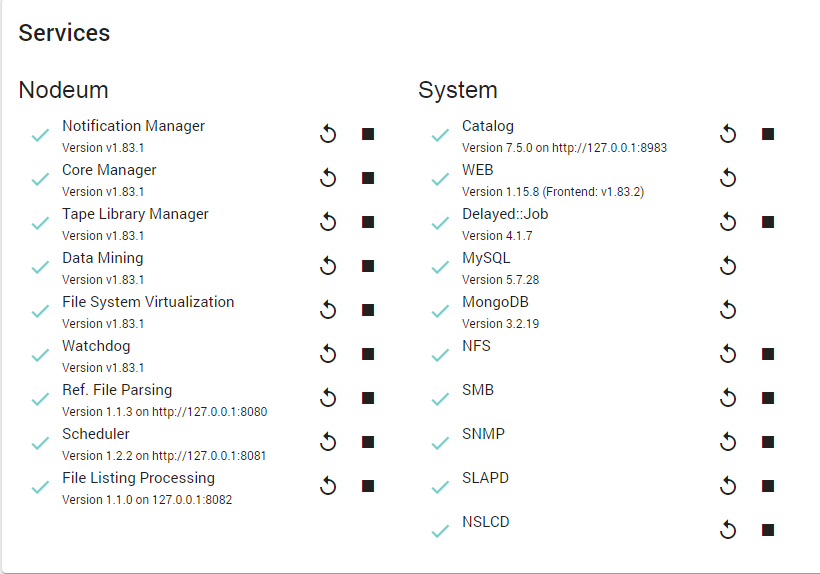
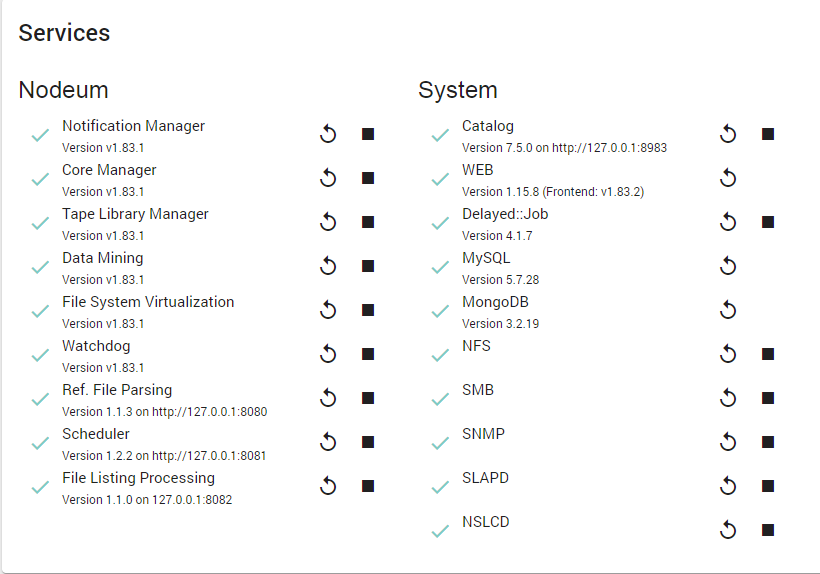
2. Stop and restart Nodeum services.
### Procedure to Replace a Tape Drive
When a tape drive needs replacement in the Tape Library, follow these detailed steps:
1. Navigate to the **`Tape Library Configuration Panel`**.
1. Go to the Tape Library Configuration Panel. (Tape Library Configuration)
2. unselect the drive you need to replace.
2. **Stop Nodeum Services**.
3. Physically replace the tape drive in the Tape Library.
4. **Reboot the Nodeum System**.
5. Return to the **`Tape Library Configuration Panel`**.
* Select the newly installed drive.
6. **Restart Nodeum Services**.
### Changing Bridge Drive Allocation
**Description:**\
If the Drive Bridge encounters an error or fails, the Tape Library will also experience errors, hindering proper access by Nodeum. In such cases, you need to reallocate the drive bridge to a different drive.
**Procedure:**\
To change the Bridge Drive allocation, follow the steps below using an **Oracle SL150 Tape Library** as an example:
1. From the Drive Panel, identify which Tape Drive is the Bridge Tape Drive.
2. In the Tape Library Configuration:
* Select **Configure Library Settings**.
* Change the Library Bridged Drive.
3. Reboot the Nodeum system to correctly update the new SCSI address of the Tape Library.
### Tape Library & Tape Drive Firmware Upgrade
Start the upgrade of the Firmware in a Tape Library or a Tape Library need to be performed carefully.
It is also important to take into account that during this operation Nodeum cannot use the tape library or the selected tape drive.
Once the firmware upgrade is operated from the Tape Library itself, it is important to proceed with these following steps:
#### Go into the Nodeum interface and follow this procedure :
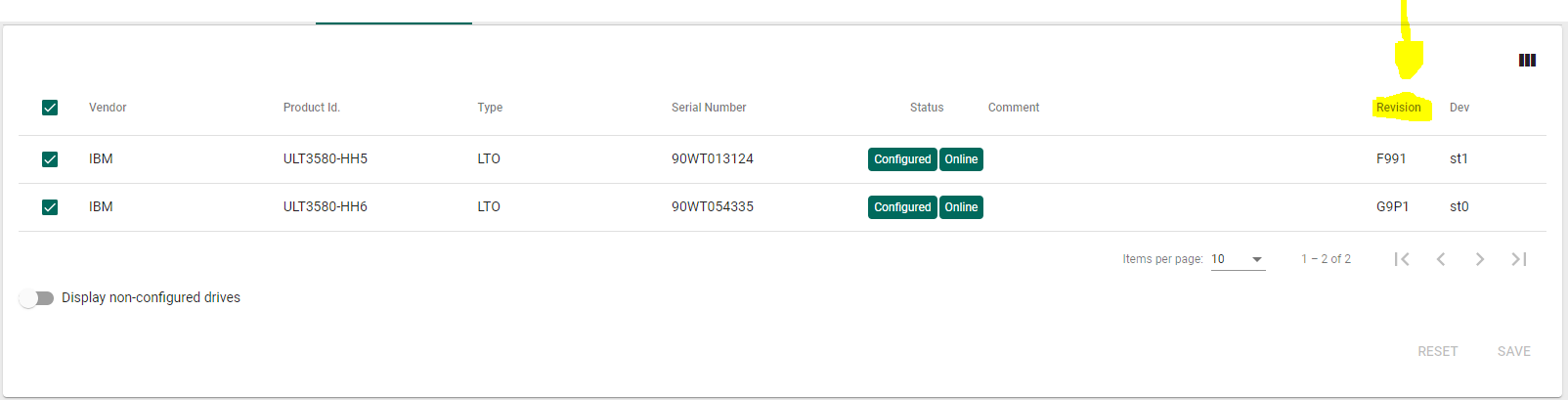
* Check in the Configuration panel of Tape Drive and save the new parameters. Visualize the Firmware Revision number.
* Restart the Nodeum server to verify the SCSI device setup.
---
# Agent Instructions
This documentation is published with GitBook. GitBook is the documentation platform designed so that both humans and AI agents can read, navigate, and reason over technical content effectively. Learn more at gitbook.com.
## Querying This Documentation
If you need additional information that is not directly available in this page, you can query the documentation by asking a question.
Perform an HTTP GET request on the following URL with the `ask` and `goal` query parameters:
```
GET https://docs.nodeum.io/data-archiving/hybrid-storage-management/tape-library-management/tape-drive-maintenance.md?ask=&goal=
```
`ask` is the immediate question: it should be specific, self-contained, and written in natural language.
`goal` is what the user is ultimately trying to achieve, the reason they need the answer. Sharing it helps GitBook give you a better, more relevant answer. A goal is most helpful when it describes the outcome the user wants rather than restating the question. For example, with `ask=how do I create an API token`, a goal like `automate deployments from our CI pipeline` lets GitBook tailor the answer to that use case.
The response will contain a direct answer to the question and relevant excerpts and sources from the documentation.
Use this mechanism when the answer is not explicitly present in the current page, you need clarification or additional context, or you want to retrieve related documentation sections.