> For the complete documentation index, see [llms.txt](https://docs.nodeum.io/llms.txt). Markdown versions of documentation pages are available by appending `.md` to page URLs; this page is available as [Markdown](https://docs.nodeum.io/data-mover/console/data-mover-management.md).
# Data Mover Management
The centralized dashboard enables users to monitor task progress with real-time updates on data status. Users can define unlimited tasks simultaneously to move, archive, and protect data across various storage tiers. Task management features provide control and visibility
Each workflow has its own settings:
* [ ] Actions
* [ ] Source
* [ ] Destination
* [ ] Granular File Selection
* [ ] Scheduler
* [ ] Filter
* [ ] Advanced Setting : Priority, Metadata Management, …
### Task Monitoring
To aid in monitoring task execution, the Console offers a comprehensive monitoring feature. This feature provides a global overview of all task activities.
Three different sections are available :
#### Upcoming task
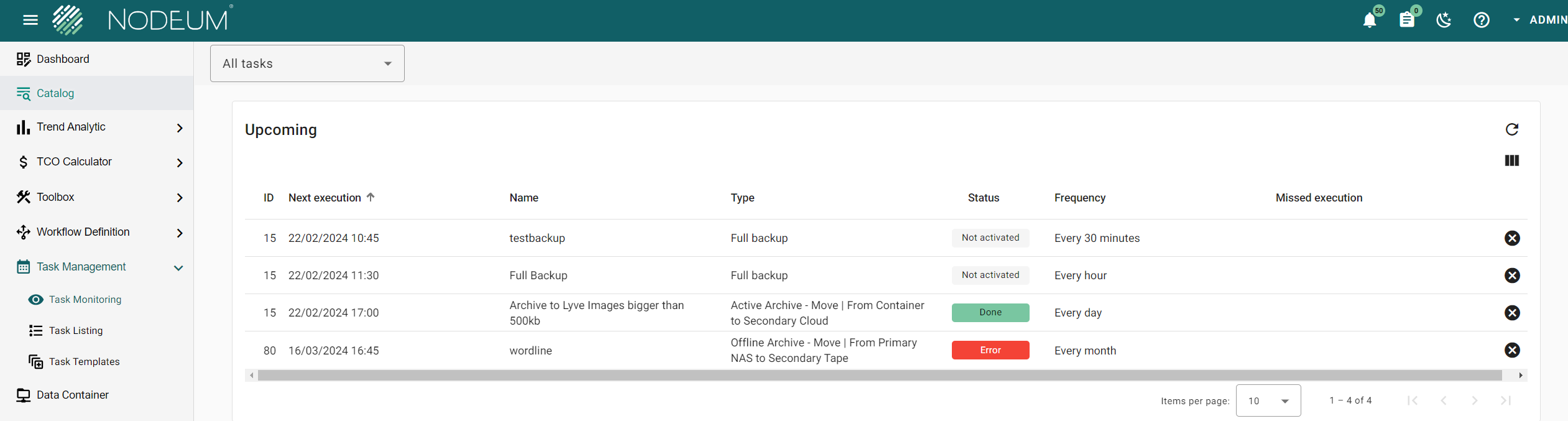
This section shows the task(s) scheduled. For each task, you can see detailed information including the date - time when the task will be executed.
It is possible to skip an execution in clicking in the right cross icon.
If a task hasn't been executed properly, then you will an information saying that "task execution missed for one or multiple occurence".
#### Running task
This section provides the list of the task(s) which are currently running.
For each of these tasks, you can
1. See the detail and the status.
2. Pause the task execution.
3. Resume a paused task .
4. Stop the task execution
#### History
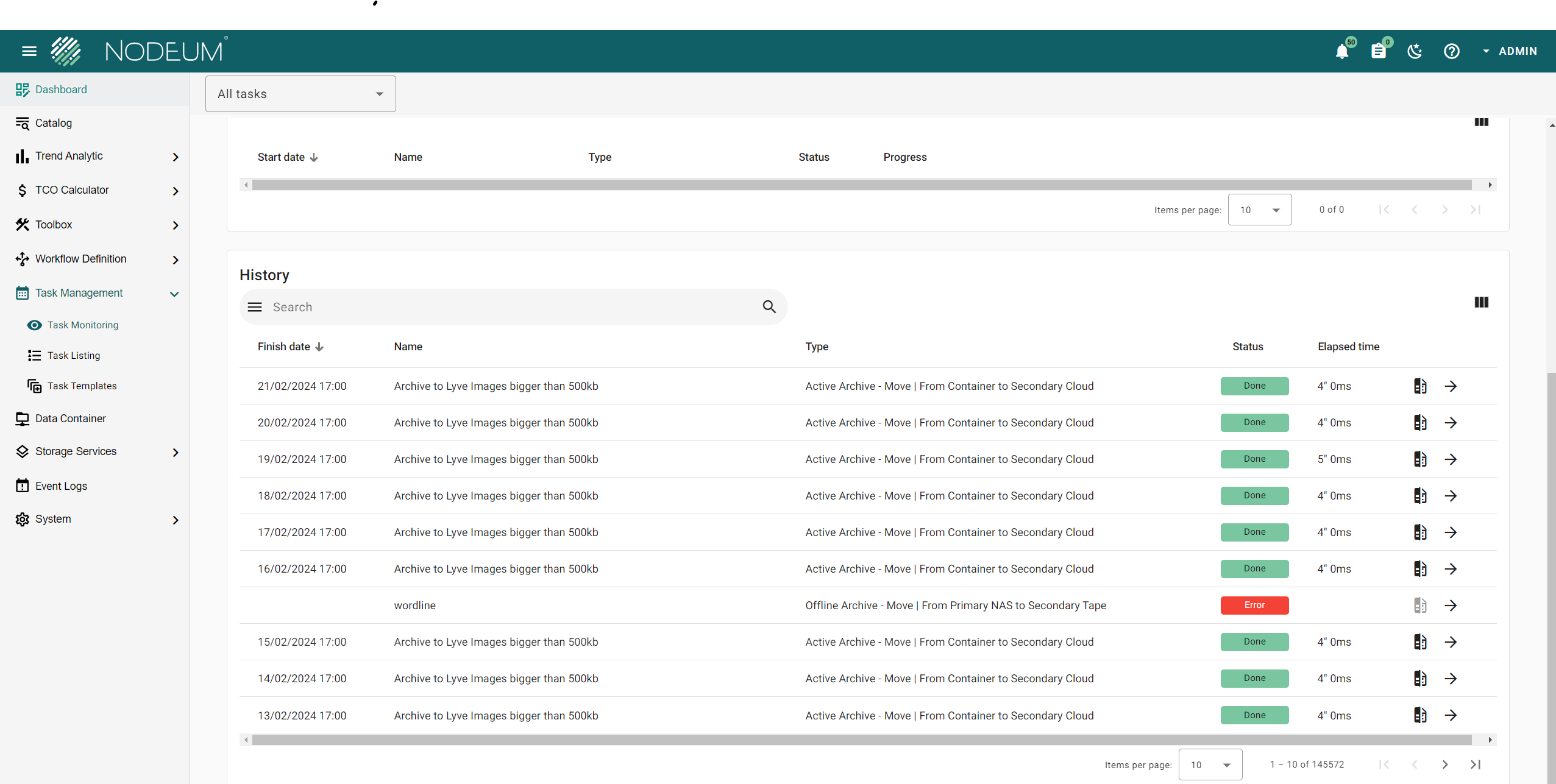
In this section you can find all the tasks that have been completed.
List of tasks history
## Task Report
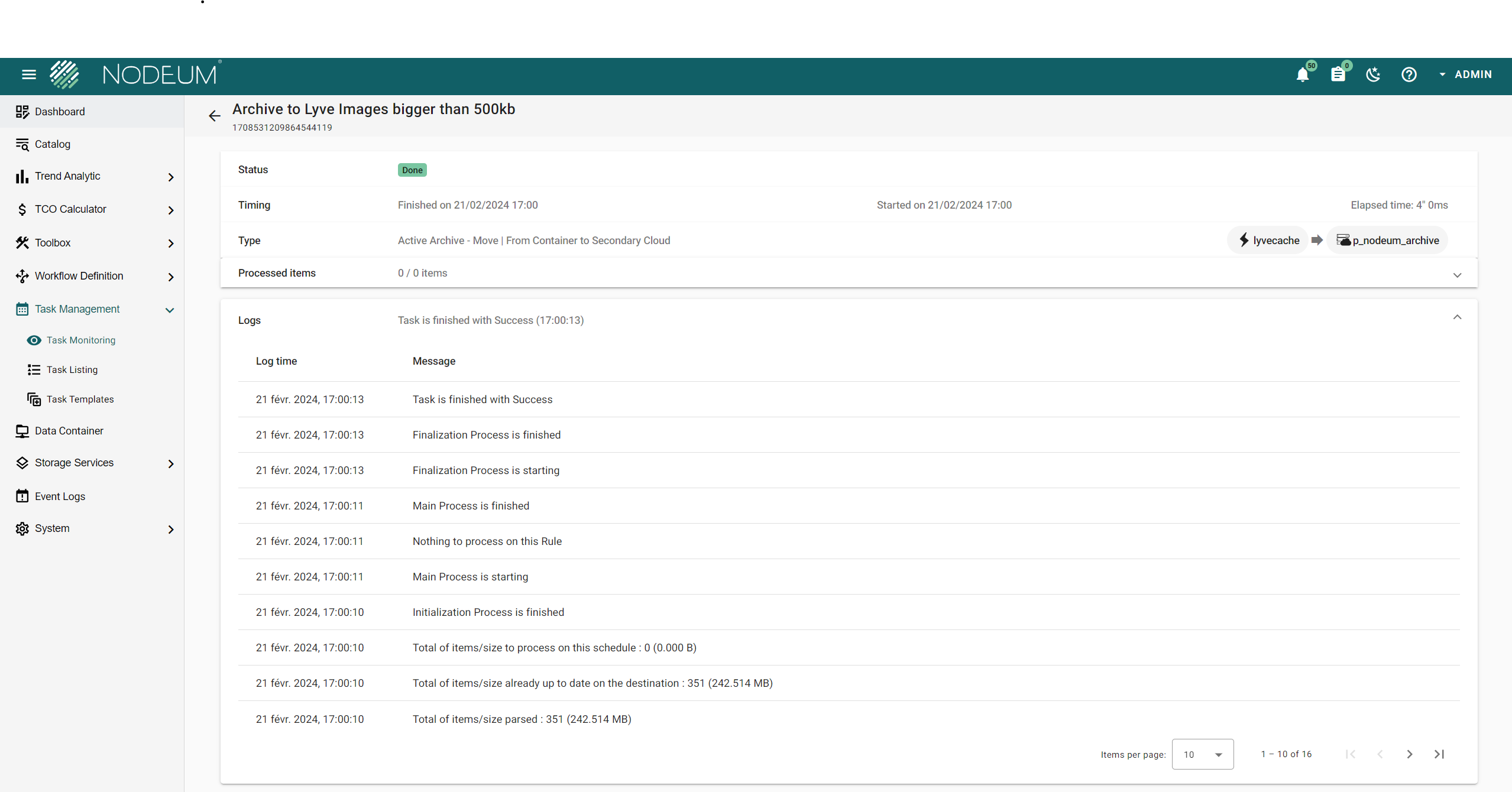
For each task running or finished, you can open to see the global view about the task.
To see the full informations click on the arrow beside the task:
|
| Processed size | size of data processed | |
| Processed items | Number of items of data processed | To see the good process click on the tab processed items\* |
| Logs | Details of task's log | |
{% hint style="success" %}
Each task report contains all files processed during the task, a downloaded copy can be exported.
{% endhint %}
### Task Log
Below is a table listing messages found in the logs, mostly arranged in the
---
# Agent Instructions
This documentation is published with GitBook. GitBook is the documentation platform designed so that both humans and AI agents can read, navigate, and reason over technical content effectively. Learn more at gitbook.com.
## Querying This Documentation
If you need additional information that is not directly available in this page, you can query the documentation dynamically by asking a question.
Perform an HTTP GET request on the current page URL with the `ask` query parameter, and the optional `goal` query parameter:
```
GET https://docs.nodeum.io/data-mover/console/data-mover-management.md?ask=&goal=
```
`ask` is the immediate question: it should be specific, self-contained, and written in natural language.
`goal` is optional and describes the broader end goal you are ultimately trying to accomplish on behalf of the user. GitBook uses it to tailor the answer towards what is most useful for that goal.
The response will contain a direct answer to the question and relevant excerpts and sources from the documentation.
Use this mechanism when the answer is not explicitly present in the current page, you need clarification or additional context, or you want to retrieve related documentation sections.

 Nas
Nas Tape
Tape